

What is an RSS Feed?
RSS stands for Really Simple Syndication. It refers to files easily read by a computer called an XML file that creates a feed that automatically updates information.
This information is retrieved by a user’s RSS feed reader that converts the files and the latest updates from websites into an easy-to-read format. An RSS feed takes the headlines, summaries, and update notices and then links back to articles on your favourite website’s page.
If you follow a bunch of websites and don’t want to waste time heading to their site to see what’s new or what you’ve missed or bothering with bookmarking hundreds of websites, then an RSS feed is a great option. You can customise RSS feeds to only give you articles on certain topics or from certain sites.
RSS readers can be installed on your desktop, mobile, or in your web browser.
How does an RSS Feed work?
RSS works by having the Web site author maintain a list of notifications on their Web site in a standard way. This list of notifications is called an RSS feed. People who are interested in finding out the latest headlines or changes can check this list, and feed readers can capture this data as it is a universal format that any compatible reader can capture.
You are not tied to any application; you can move to a preferred one and take your feeds with you.
How to add our RSS Feed?
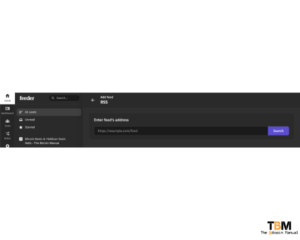
If you would like to add The Bitcoin Manual to your regular reading list or want to keep up to date with our latest articles without signing up to our mailing list or following us on social media then copy the following link and paste it into your RSS feed reader
- https://thebitcoinmanual.com/articles/feed/
Add our RSS feed to brave news
If you’re using brave browser you can add our RSS feed to your newsfeed by selecting
- Customised dashboard
- Brave news
- Paste our feed link
- Click add source

Add our RSS feed to a reader
If you prefer using a browser extension, desktop or mobile RSS reader, then again look for the add+ option and paste our feed into your app
What Is ArkPool?
Since Bitcoin mining is now an industrial-level operation, with the vast majority of hash rate coming from large-scale operations, it’s natural that the ecosystem and
What Is Arkade?
Bitcoin’s base layer is deliberately conservative. It settles value securely, but it doesn’t offer instant payments, easy asset issuance, or flexible contracts. For years, the
Hack or Be Hacked
In September 2026, Chainalysis confirmed what we all knew when it published a figure that should have been front-page news across every crypto publication. Instances